Thoughts on Mii Renderer (REAL) in 2026 - Part 2: Backend
Mii Renderer Server (“FFL-Testing”)
You know when people talk about how those “temporary solutions” are always the ones that stick around the longest? Yeah… this is one of those.
I’m actually in the progress of writing about the development process and reverse engineering that went into this thing, but until then, here’s the relevant details:
- The server was made in mid-2024, reused from a literal test program that Abood made when he decompiled FFL (Wii U Mii renderer).
- At the time, I was just desperate to render the images without a Wii U.
- (The website was made for a previous solution that used Wii U code in an emulator for rendering. I had to adapt this for the new server.)
- When I started I knew nothing about 3D rendering, learning as I went. I planned a rewrite early on, telling myself to do it “when it was feature complete”.
- Weeks turned into months as I kept adding more shaders, the 3D export feature.. but kept struggling with body scaling needed for full accuracy (= “completion”.) My aspirations for the rewrite also kept growing.
- Right after body scaling was added in Jan. 2025, I then spent my time making FFL.js and other projects (e.g. the Fusion stuff). By the time I was looking to move on, I already insisted to myself that I’d rewrite the Face Library before even considering a new server.
That’s my rough history of how the development went. Let’s slow down a little and look at how the server currently works.
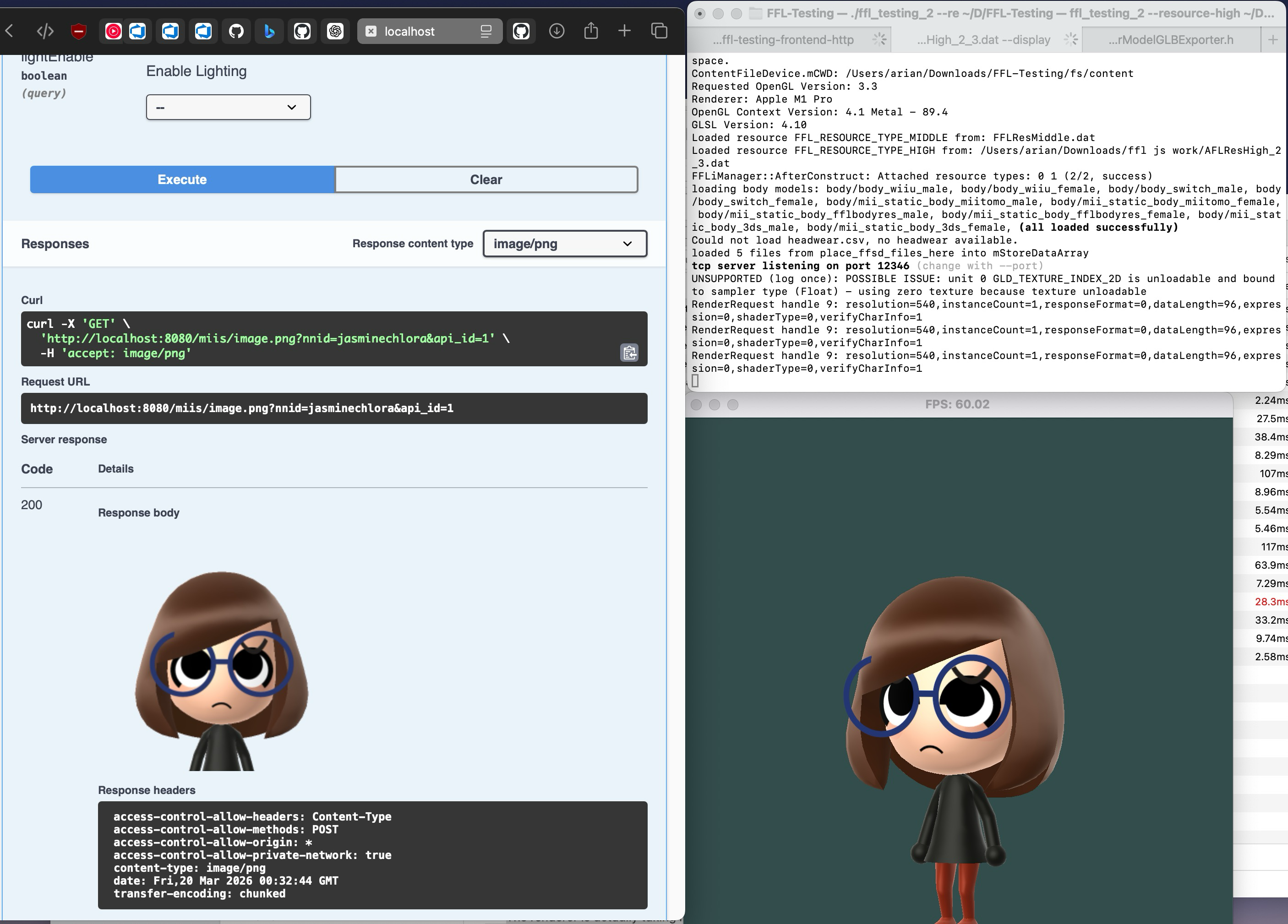
- When we build the “server”, we run some Mii characters spinning around in the window. What is this?
- The renderer is actually taking requests, but the actual HTTP server is run from separate Go code in server-impl.
- You see, I didn’t feel like having the HTTP server in C++ at this point, so I reused something I already wrote in Go.
- If you run both processes and make an HTTP request, you will actually see the Mii image as well as the model spinning in the window.
- One reason for the window is so I can attach the debugger (RenderDoc). This is critical, but there are ways to do this with no window.
- I added an option to have no window, but it still creates one that’s invisible EXCEPT on MS Windows (fixed recently)
You can see that wall this thing does work, it’s not hard to see why I’ve barely seen anyone else run this. That disappoints me since I thought people would want to run their own independent server.
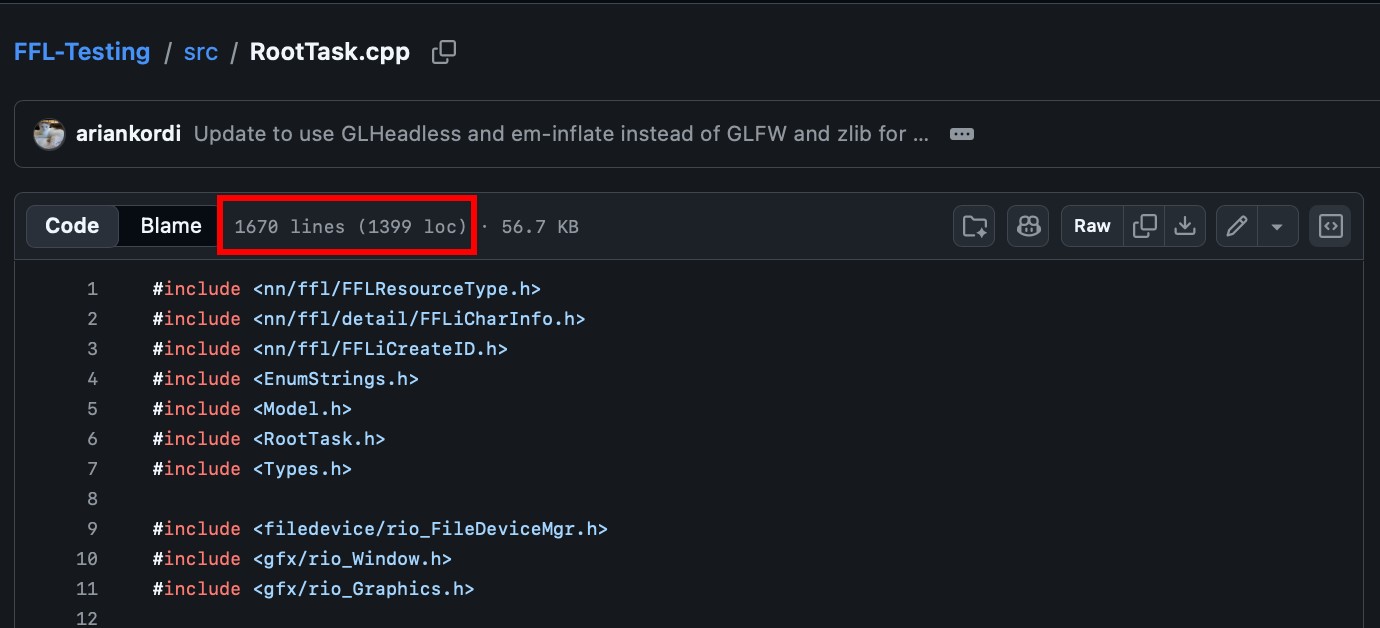
If you have a look at the source code, well… actually don’t do that, because you’ll see that pretty much the entire thing is in this 1600-line cpp file. AAAAAAAAAAAAAA
So similarly to the website, this server code has far overstayed its welcome and is another thing I’m ashamed to bring into 2026.
Like I said I always had the “rewrite” in mind, but basically nothing ever happened with that. Again and again I kept changing my mind on how it should be written, sometimes gravitating towards being “THE FASTESTETSTSDTTSTETESTST!!!!!!!!” or whatever.
Mii Renderer Rewrite in Raylib
After a year and a half of fooling around and being indecisive, I decided in November 2025 to start working towards an actual replacement.
This rewrite would be focused on flexibility. Not being the bestest and most fastestest, but making what we have now more usable and extendable.
-
The new server will use Raylib.
- Open-source 3D framework in pure C with thousands of users.
- While RIO held me back by lacking features such as skeletal animation, raylib will actually let me expand.
This will be a much stronger foundation as an engine than what FFL-Testing used, but, one of the most important parts about this choice is that I already have some of the hardest parts complete right now in raylib!
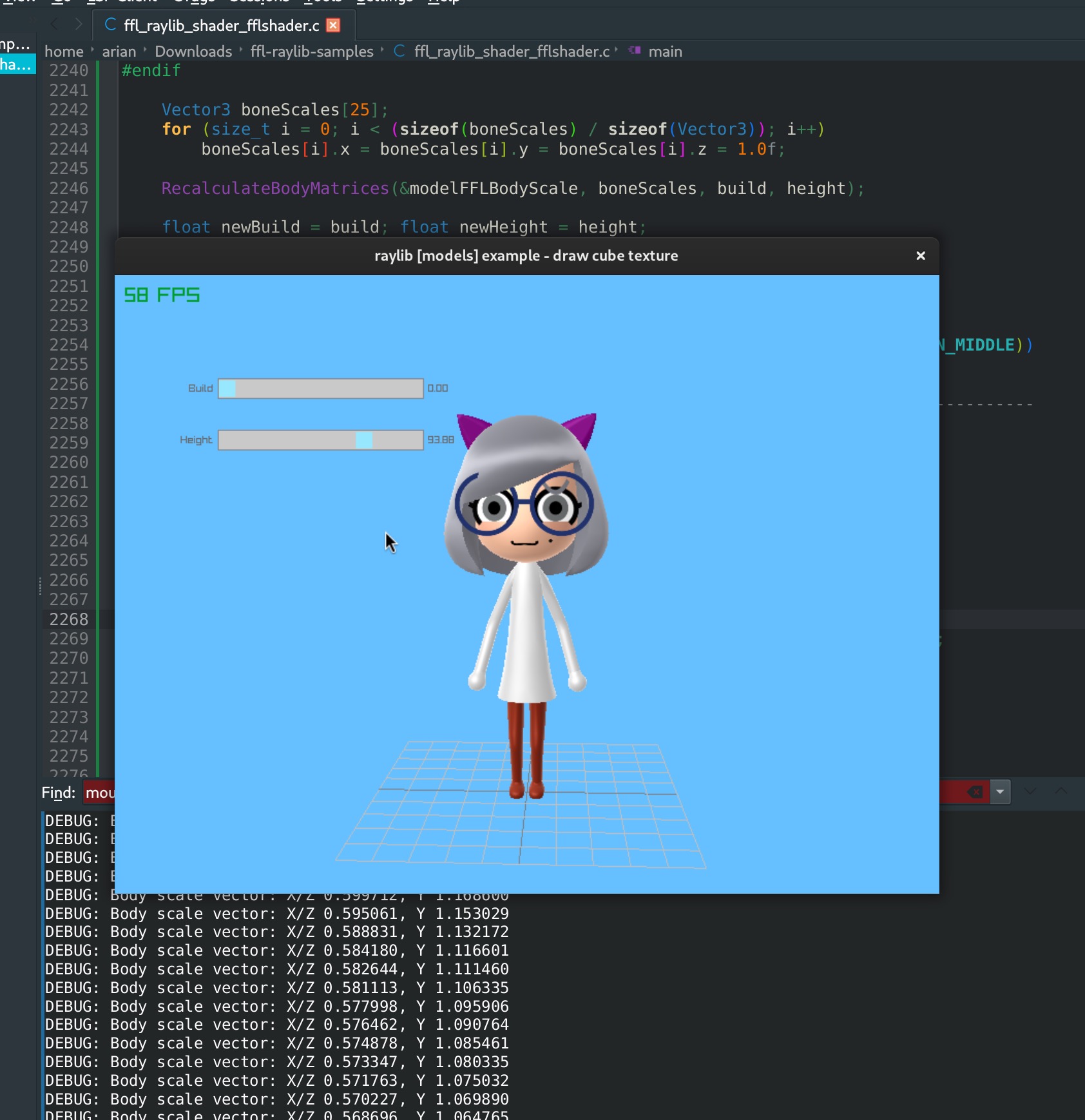
That’s FFL in Raylib rendering the Mii model with the Wii U shader, and more notably Mii body scaling - things that took me 2 and 6 months respectively to achieve originally.
-
It will be one program you run which will just work.
- The HTTP server will be integrated into the main binary.
- No window at all - totally headless.
- I am considering publishing a release, and even auto-downloading the Mii resource file from archive.org.
- I never felt confident in the old one to do a GitHub release (publishing an exe you can run instead of building)…
Do you remember how FFL-Testing opens a window that you can’t fully get rid of? This comes down to a classic OpenGL limitation. I made my own library to solve this on all platforms: GLHeadless. I even added the ability for it to spoof GLFW, so that the current version of FFL-Testing can use it.
- The renderer will be reusable in other programs.
- Basically the same code but in a .dll/.so that acts like the server, usable wherever you can call native code.
- The interface would have Mii data/params in, icon/glTF model out. I’m planning a total of just a few functions.
- I’ve made a new glTF exporter used within the server but also usable separately and is meant to be fast and light for use in games.
Being able to get Mii icons completely locally without overcomplicating your server setup is nice enough as it is, but this could be groundbreaking in other areas. A library that takes Mii data and emits a 3D model of it could be the perfect solution to render Miis in any game engine. I don’t think anyone has even realized the potential of that yet.
-
Even though this is not the ultimate endgame I would’ve wanted, it will help push me forward.
- The Raylib Mii rendering logic can be shared with a potential Mii editor application.
- Nintendo does this: Wii U -> NNID renders, Miitomo -> Mii Studio/Account renders
- The new renderer will finally allow me to rewrite FFL if I have it sit alongside the new one.
- Similarly, developing the server first, and using that code to make the editor will result in more accuracy.
- I know that if I release the new server or the library, it will be helpful for people to use right now.
- The Raylib Mii rendering logic can be shared with a potential Mii editor application.
Mii Raylib Server: Progress
Ready for a reality check?
- ✅ New glTF exporter: 85%
- Almost ready - need to LOCK IN! and fix stuff.
- ✅ GLHeadless: 98% - Ready
- ⚠️ Mii rendering: 45%
- Needs a week or two of work.
- ❌ New HTTP server: 3%
- Not started at all.
When I began in November I worked on some parts considered important, but neglected others and didn’t truly get any of this off the ground…
New glTF Exporter
- This is the first part I began working on in late October.
- It’s been a part of the old server I’d been wanting to rewrite for a while, since the original was a bit inefficient.
- In particular, I wanted to play with using a memory pool for this.
- Instead of allocating when we need it, allocate once then split up and work within the pool.
- Memory pools/arenas/custom allocators are something that Nintendo uses a lot. Intriguingly, FFL used this model before Abood refactored it out - you would allocate memory yourself after FFL calculated the amount for you.
- In particular, I wanted to play with using a memory pool for this.
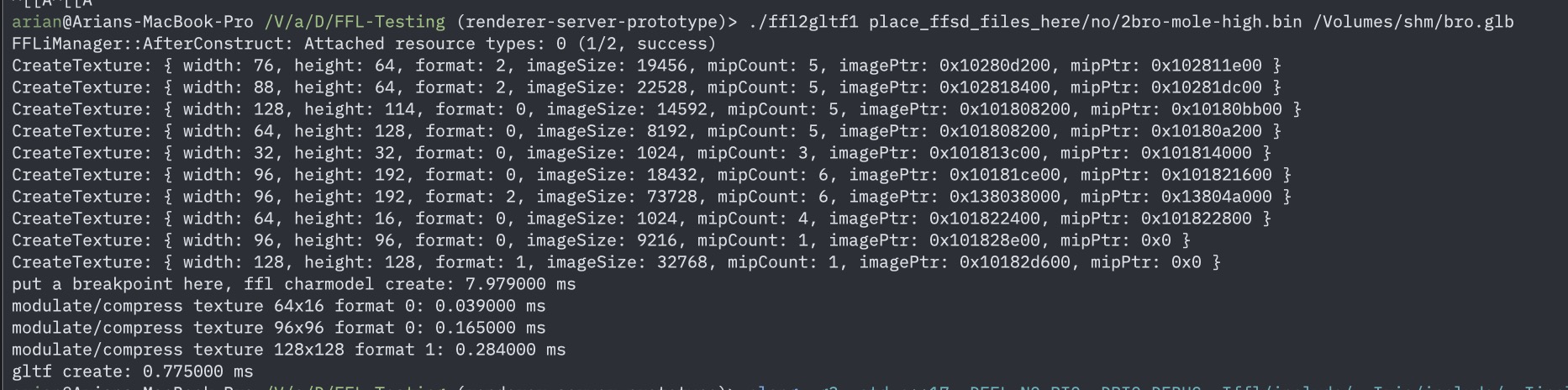
It took me just a week to get it in a working state, and I was pretty happy with it at first. It can export a head model without any GPU rendering in 0.7 ms!
But in my excitement, I decided to put this on hold insisting I could come back to it without that much more work to complete. Guess what still isn’t finished…
In order for this to be functionally equivalent to the old one, I had to add a feature from the old exporter (mask texture variants). By the time I finally got to that, I noticed some mistakes I made which took WAY longer than necessary for me to move past. ?
Currently I have one last hurdle before releasing this, which has been there from the beginning.
One of the gotchas of doing your own allocation like this is that you need to calculate EXACTLY how much memory you will ever use - no more, no less.
My last update was to calculate the amount of memory for shapes, but textures are another problem entirely. I haven’t went back to it since then. Oh well.
Aside: glTF Exporter Standalone Mode?????
- This is something I was really interested in: allowing this “Mii to model” exporter to work OUTSIDE of the server, without any dependencies!
- Theoretically it could get a Mii head model fully on the CPU, meaning we don’t meddle with whatever the existing game engine is doing with the GPU (unlike how FFL does now), so it would be easy to import into any game engine.
- Again, I thought the potential could be big, so I put some time into this.
In order to make that work, I made this small test program that ran fully in the command-line without any GPU access. Exporting shapes worked perfectly as well as most textures, but the biggest issue had to do with the face.

Current result of “ffl2gltf1.cpp”. But this export is fully done on the CPU.
This texture that gets wrapped around the face is composed of multiple textures, each of which is drawn as a rectangle.
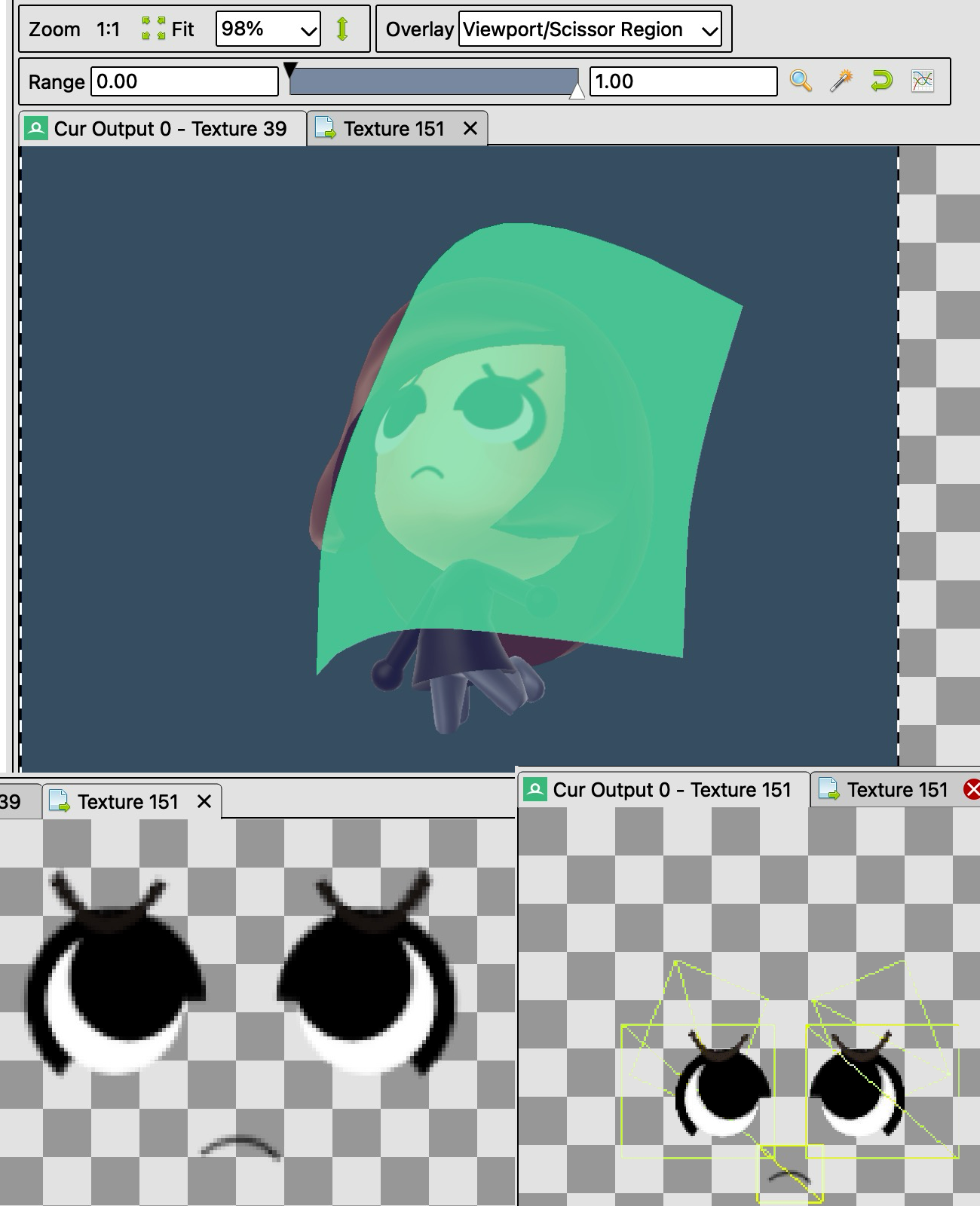
(Sorry that the bottom right image looks like crap, but hopefully you get the idea.)
Instead of making this “composite” texture, it is prooobably possible to instead bundle all of the little textures one by one.
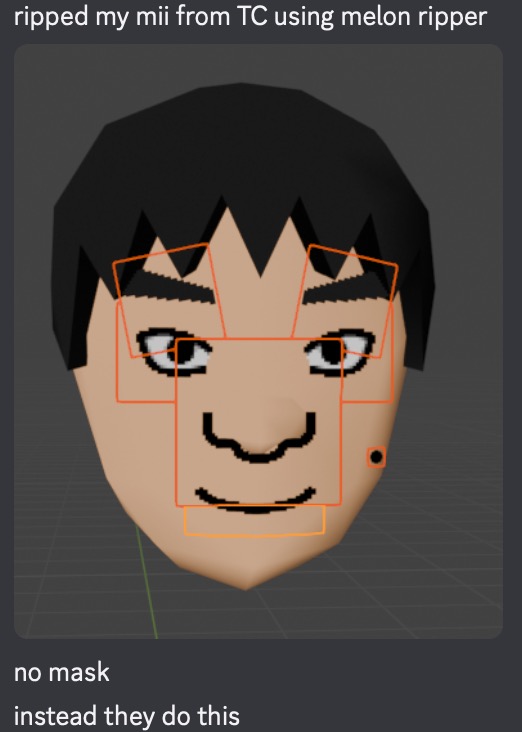
It’s definitely possible since they do this on the DS, but they have never used this approach elsewhere. It may require custom modeling, and getting it to look exactly the same is another question entirely.
Until I/we/whoever figures THAT out, I also wanted to look into drawing the texture on the CPU, if I could find a lightweight library that does so. CImg? FlatCV? PlutoVG? I’ll find out which one is “least worst” eventually.
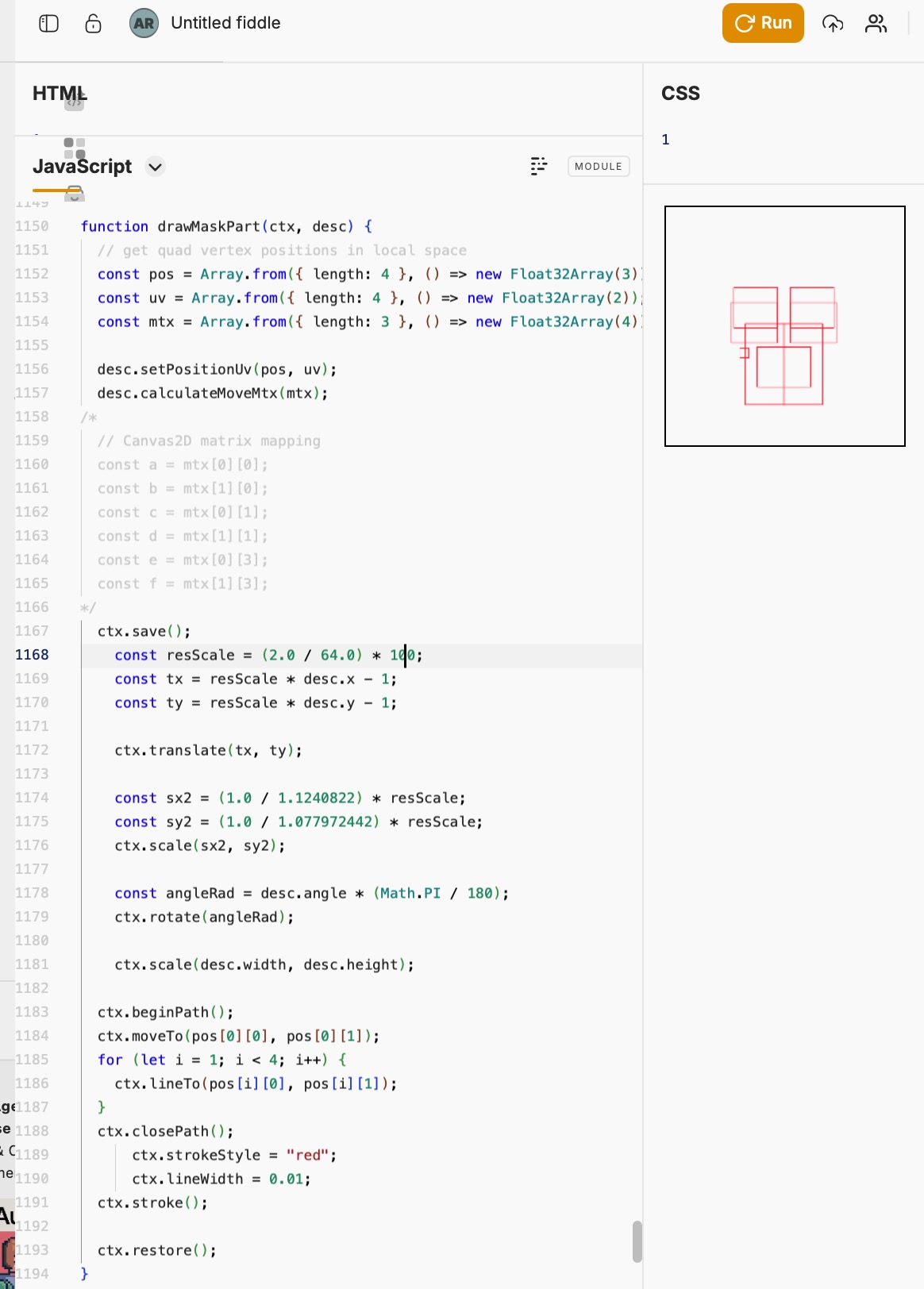
After a brief look I decided to try using HTML5 Canvas as a test, because it’s easy and if it works here then it’ll probably work with one of those.
As you can see below, I actually was able to get the rectangles positioned perfectly, just needed textures there.
GLHeadless
There isn’t too much to say here that isn’t mentioned in the repo, though this is what I moved onto after the glTF exporter.
It’s not like the library was difficult at all to make, but:
- I had the initial prototype working in a few days in November. Then proceeded to stall until January.
- I wanted it to be truly perfect, spending weeks on features I didn’t truly need at the moment.
- Because I wanted it to be something others could find useful. (I say this as it has zero users other than me 🙂)
- Not much happened in the time between. When I was finished, I pretty much moved onto a completely different project entirely.
Gee, when have I seen this happen before?
Anyway, I did get to releasing it and it solves a legitimate problem I had so hooray for that!
Mii Rendering in Raylib
So yes, in November 2024 I released the ffl-raylib-samples repo that fully drew the Mii head model with the Wii U shader. Even later on, after a bunch of trial and error, I finally got body scaling working in November 2025. Great, right?
Those isolated examples worked?, but after FFL.js I realized the code I had in raylib was not the best and completely inflexible.
I had actually been using code from Abood to draw the head, and that used raw OpenGL calls that reupload shapes to the GPU on every draw… (In his defense, the Wii U can do this since it has unified memory.)
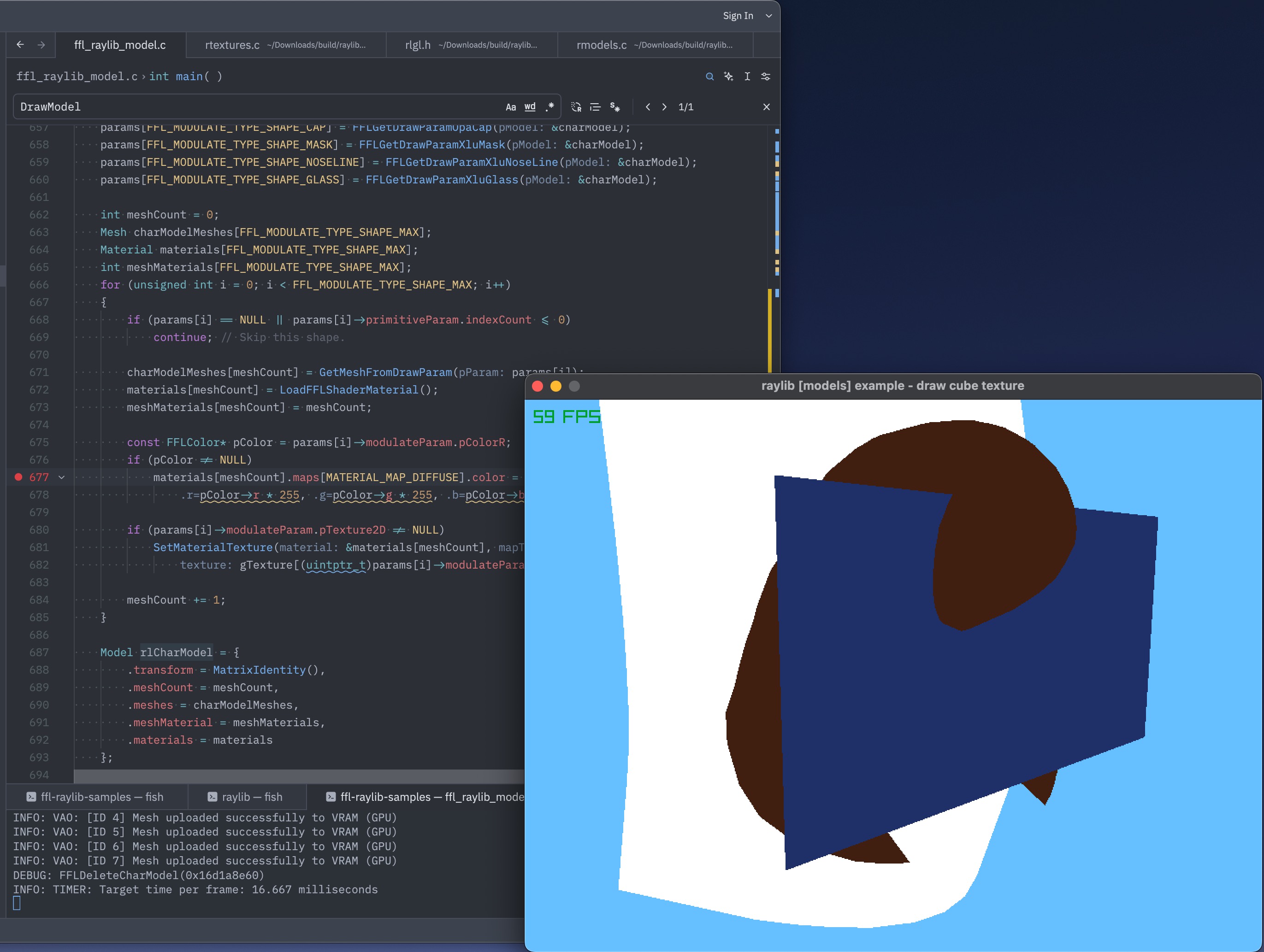
Only very recently did I get around to writing it “the way it’s supposed to be”. The place I last left off was seeing how switching between multiple shaders (like the server and FFL.js do now) would work with raylib.
With shaders not fully working, pretty much all I have to show is… this. Incredible, right? Definitely an upgrade from where we were before.
I should also mention that I’ve spent a bunch of time trying to get OpenGL debugging working nicely on the $3000 MacBook I wasted spent my money on, as I kept resorting to a Linux VM and don’t want to do that anymore.
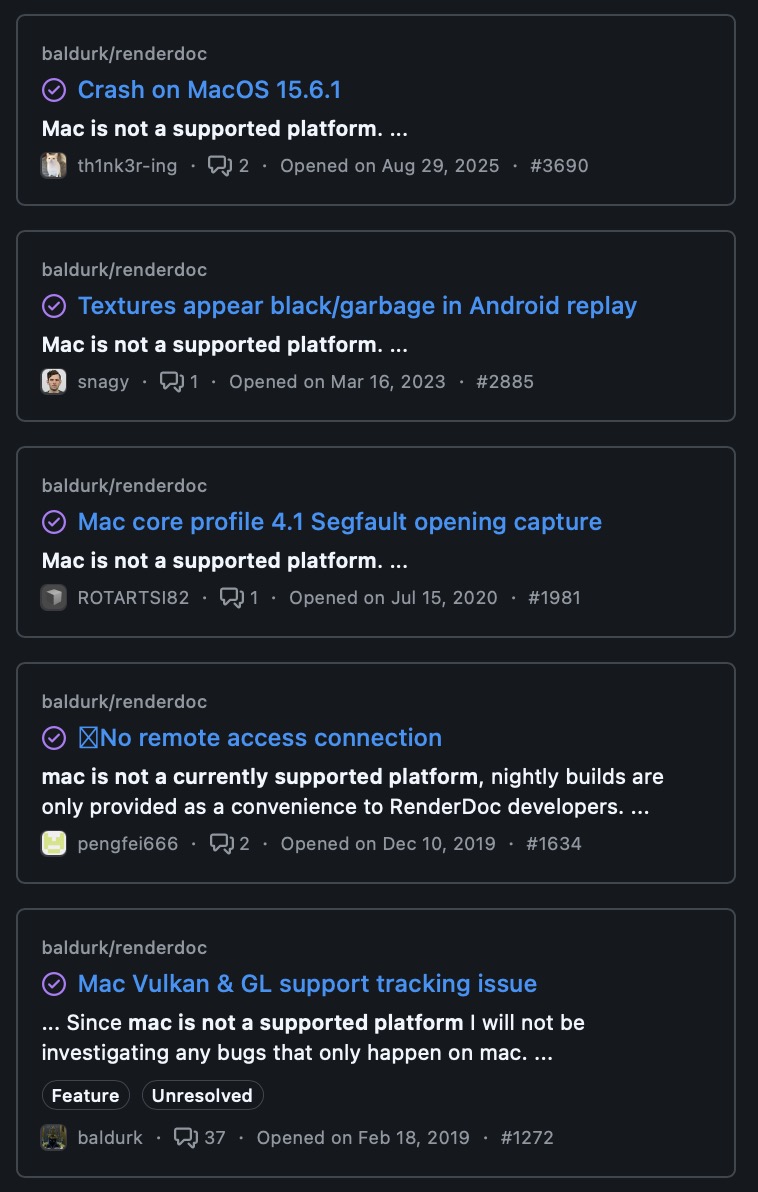
RenderDoc, the best graphics debugging tool I know of, doesn’t officially support macOS. Fantastic. They also close PRs having to do with improving Mac support.
I’m aware that Apple hates OpenGL, and that there are frameworks that let you use target graphics APIs such as bgfx or the lightweight sokol_gfx. Then, I could use their Metal debugger. I thought many times about using those, though the fact of the matter is that raylib will get the job done easier. Bleh.
Web… Server..???
Didn’t start on this part yet, but I guess I will also take a moment to mention that I have to design many ways to talk to this server.
- It should run its own HTTP server, yes.
- I am confident this can be done right in C/C++, and there’s a handful of lightweight libraries for doing this.
- … Though, I’ve also thought about how I’d like the server to have features: TLS, block unknown SNI… so um, can I harness an existing HTTP server? Mii Renderer nginx plugin????
- It’ll also take input from direct function calls.
- I may even consider a lower-level “RPC” to talk to it from another process, useful for the thumbnailer.
- Renders and glTF exports are emitted, requiring different options.
- Perhaps there will be a “head” subset of data that the “full body” request inherits from?
- I’ll have to consider if it should be a binary format, or Protobufs!11111!!!!11!!!!!, or simply use JSON over the wire, or some hybrid of accepting JSON/URL params with a binary format, and then the binary format should have backwards compatibility and room to grow as well… eugh.
Oh, another thing worth mentioning is that my image.png endpoint has the ability to fetch NNID/PNIDs directly. That will have to go, since it shouldn’t be the renderer’s responsibility to fetch that. Will I make a workaround so it’ll still work, or break all 3 people using it? Who knows!
Um…
A bunch of what you’re seeing is me jumping around various projects
Conclusion
If you’ve been reading this far, thank you! I really appreciate anyone who, in one way or another, shows me that what I’ve done is useful. Every little bit keeps me going.
In the grand scheme of things, all of this Mii stuff is just one of the “miscellaneous” projects I’ve taken on, and I’ll surely move on to something else.