Most people know me for this project I started more than two whole years ago (yikes), which I gave the excellent name “Mii Renderer REAL!!!!!!!!!!!”.
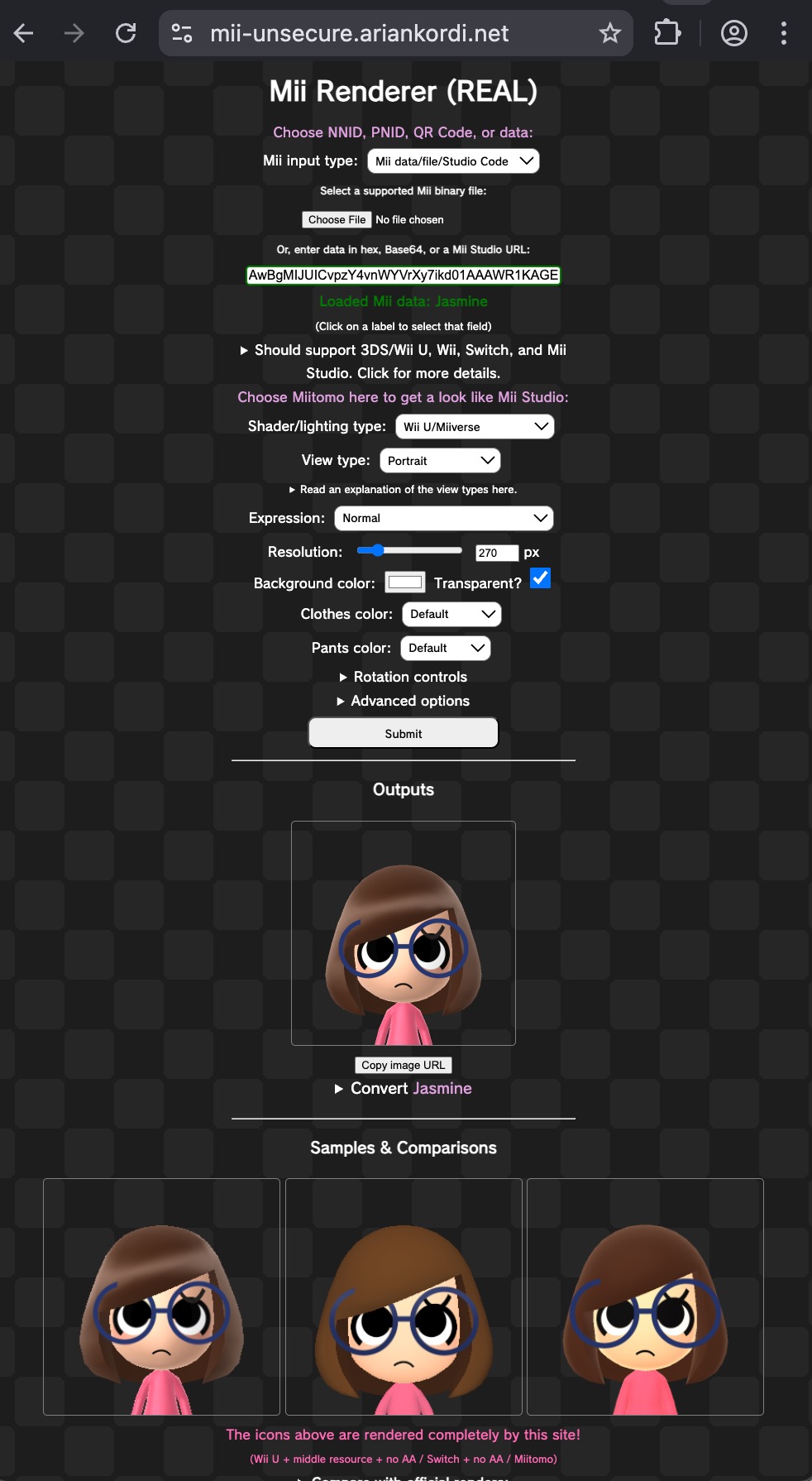 The website, hosted at… mii-unsecure.ariankordi.net.
Since then, I’ve explored many different ideas for Mii related projects and have went down many rabbitholes for reverse engineering Miis, and there’s always been more I’ve been wanting to make out of what I’ve learned.
It’s been aching me to keep everything in my head for this long, so I’m going to be (hopefully) posting about more of my new projects later on. For now, allow me to explain the status of my current projects.
The Renderer Website (Frontend)
This project is considered as two halves: The renderer server (backend), and the website (frontend). They have different stories and future directions, but I will start with the website, shown above.
- If you’re not familiar, this tool takes Mii data as an input from various sources, has a bunch of options, and shows the results at the bottom.
- This originally meant to be a better alternative to pf2m.com/tools/mii: the original “Mii Renderer” tool from 2017/2020.
- If you look at it that way, it has lots of advantages over the PF2M tool.
- Note that most work went into the renderer server itself, rather than the website.
- Nowadays I see the site as more of a tech demo, which always had more potential to provide even more versatile and useful tools.
- Every time I have to use my own site, it’s a harsh reminder that my tool hasn’t progressed with my own growth and understanding of all this. I almost feel guilty that “we” still have to use this.
More Features, More Problems
By September 2024 (5 months in), I had some code for converting Mii data formats ready and wanted to add it to the site in some way. I ended up doing this, and you can see how versatile this became.
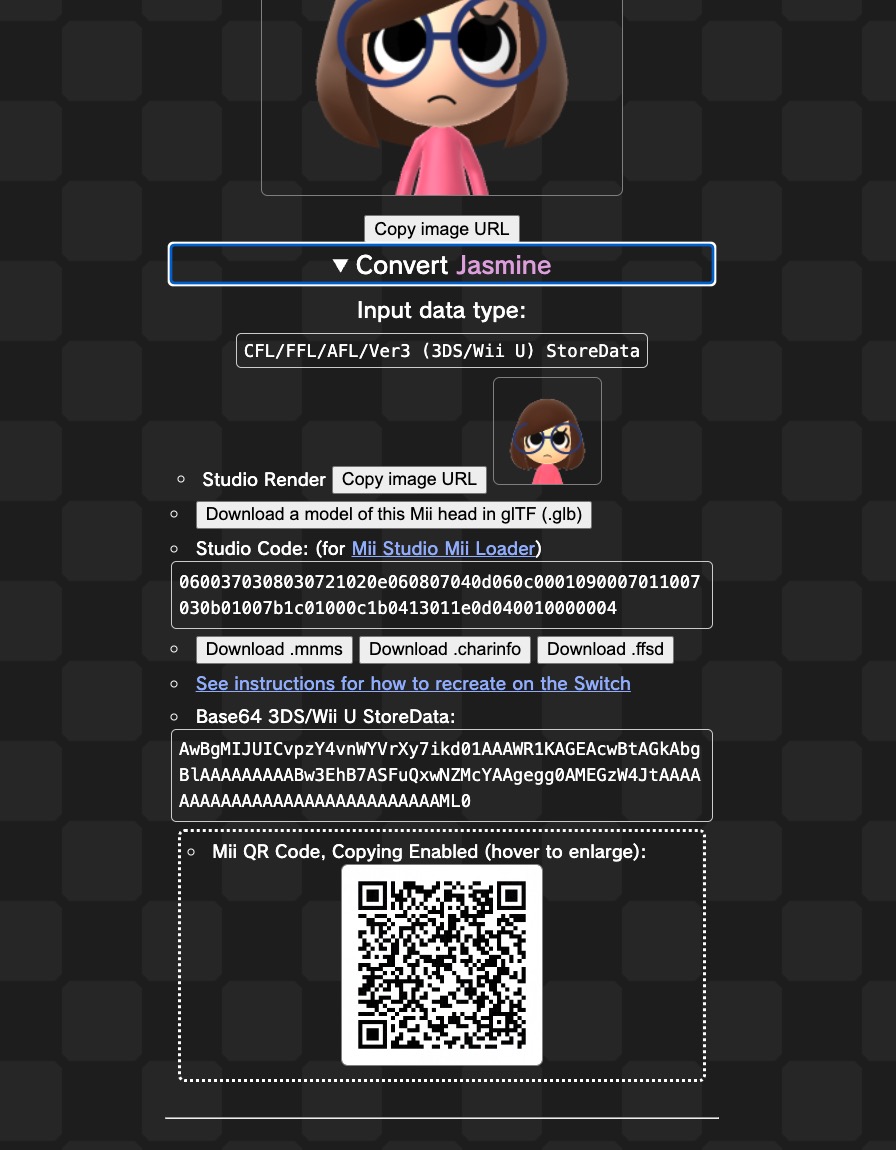
But, as you can see, I couldn’t think of any better way to bolt this on at the time than to add a dropdown under every render. This was OK for the time, but definitely not the best UI.
Why is it a problem? One of the more useful features, the “instructions”, was just a link - that can’t be super easy to find. Even later on, I added the most useful feature here which exported the Mii (head only) to a 3D model file. This was groundbreaking at the time and I’ve seen people using this for all sorts of purposes, but it’s again hidden under a button.
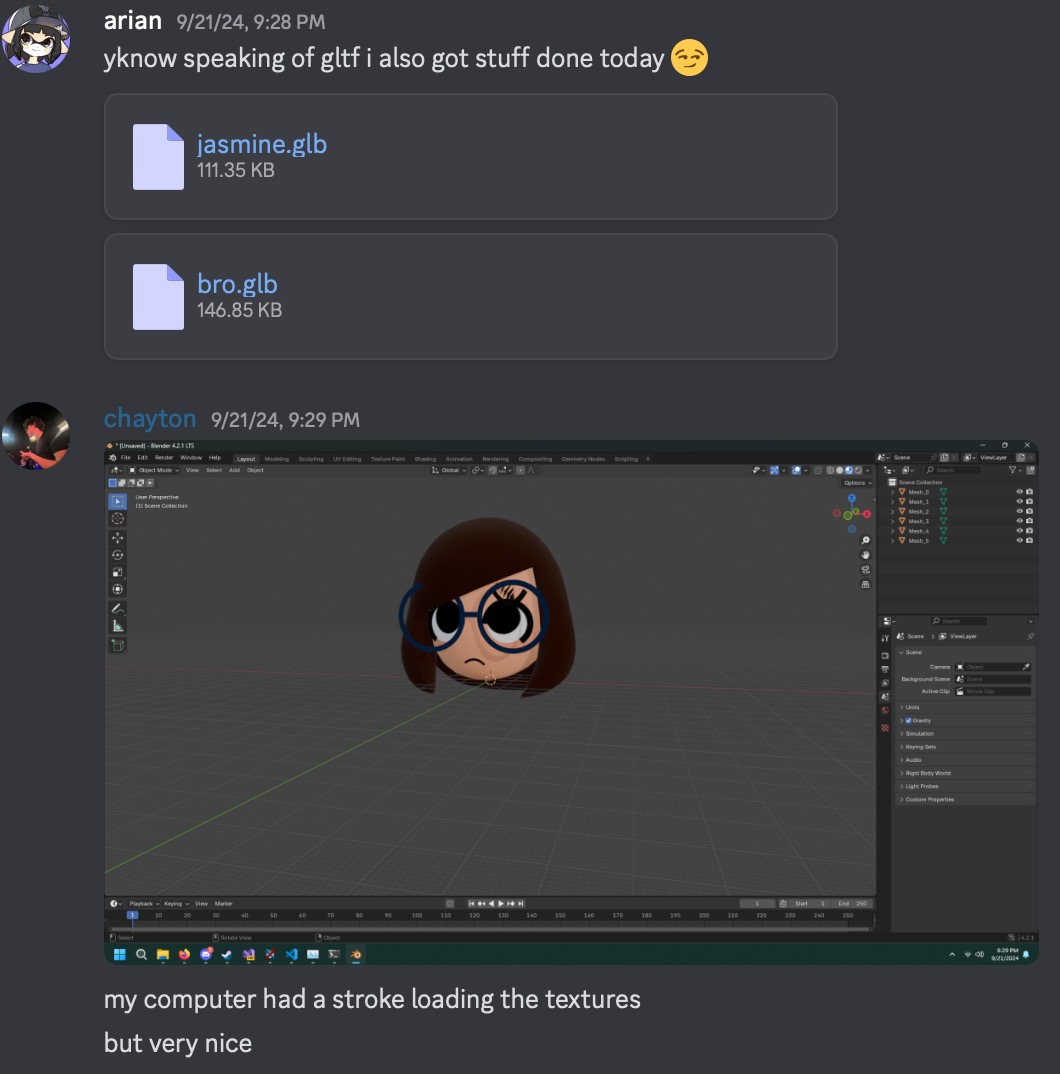
It’s clear that I was moving faster at writing code than designing an interface. The tool was definitely a little more than just a “renderer” at this point.
I knew I’d want to start another site from scratch if I wanted to add even more functionality, especially considering that the tech debt of using raw HTML/JS and my lack of design skills made the process of adding anything to “Mii Renderer (REAL)” a headache.
But then as I kept learning more and more, my aspirations grew larger and larger, and I didn’t want to have “just” another single-use site…
New Website: Mii Toolbox?
There have been many ideas from me about this, but one thing for sure is that this new tool/site should have many versatile uses and room to grow. It’d allow me to add new “modules” as I went along doing more coding. A Mii “toolbox”, if you will.
Despite this being in my head for at least a year and a half, I unfortunately don’t have any solid designs. The only thing that’s stayed with me is that I’ve imagined a header at the top like…
[Render] [Convert] [Edit] [List] [Instructions]
I’ve went through my head for the top 6 features I’d want the new tool to have:
-
Mii [data editing (basic)])(https://jsfiddle.net/arian_/dvnym03t/3/), separated conversion tools.
- Not a fancy UI-based editor, but a detailed one.
- Convert from/to all formats, plus to Wii by substituting incompatible parts.
-
Storage for Mii data (w/ groups? + local history?)
-
Reusable Mii selector/importer for developers.
-
Rendering UI improvements and features.
- More space-efficient, appealing interface.
- Bulk input data & image outputs.
- Wii U, Switch poses & camera controls?
- Render on client or server.
- 3D export separated/improved (more details later)
-
Importing: More options and multiple inputs.
- From console Mii DB files, game saves?
- Wii Remote (Web HID), write to amiibo
- Online: Kaerutomo (R.I.P.), WiiLink CMOC, SMM2? Miitopia codes?
-
Electron-based PC/mobile app that works offline.
- More permission than a website, allowing e.g. use of NFC in phones.
- If reverse engineered, local Wi-Fi transfers may even be possible (very TBD).
Does that seem like a big list? Because most of it has already been done before. Even if they are in worse tools.
I came up with even more ideas, though these would be less useful and done later.
- Random Mii generator that matches the “look-alike” feature
- Generating instructions to re-create a Mii on the Wii, 3DS, Wii U, Miitomo, Mii Studio, Switch - exportable to an image or HTML page
- “Mii to Switch Instructions” already exists, but can be rewritten for cleaner code.
- There isn’t yet an instructions generator for all consoles’ editors.
- Drawing Miis with clothing/headwear from Miitomo, Tomodachi Life.
- Perhaps even custom user-provided models?
- Reversing the Wii/3DS/Switch local Wi-Fi transferring (UDS, LDN, NiFi?) like stated before.
- Requires Linux usage, but perhaps modded consoles can work too.
- One tool to un-pack/re-pack Mii shape and texture resources from RFL, CFL, FFL, Switch.
- Scene to import and position multiple Miis with features like Miifoto (idea is TBD).
It would be really really nice to have this all in one tool that does it all, with reliable and proven code that’s open-source and usable by anyone who finds it helpful.
So with all of these great ideas, what’s stopping me from proceeding? Well… it is, of course, a “we will only do it when it can be done perfectly” delusion by me. 🙂
The Need For a New Mii Library
To have all of these tools available under one roof and “do it right” this time with room to grow in the future, we need a strong foundation: a nice library that handles all aspects of Mii data. Encoding, decoding, verifying, conversion across formats, color tables… etc.
This would separate a one-off toy from something that’ll help with many tools I and others make from now on. Accuracy and correctness would also be a priority, because I’ve seen issues with previous Kaitai-based solutions.
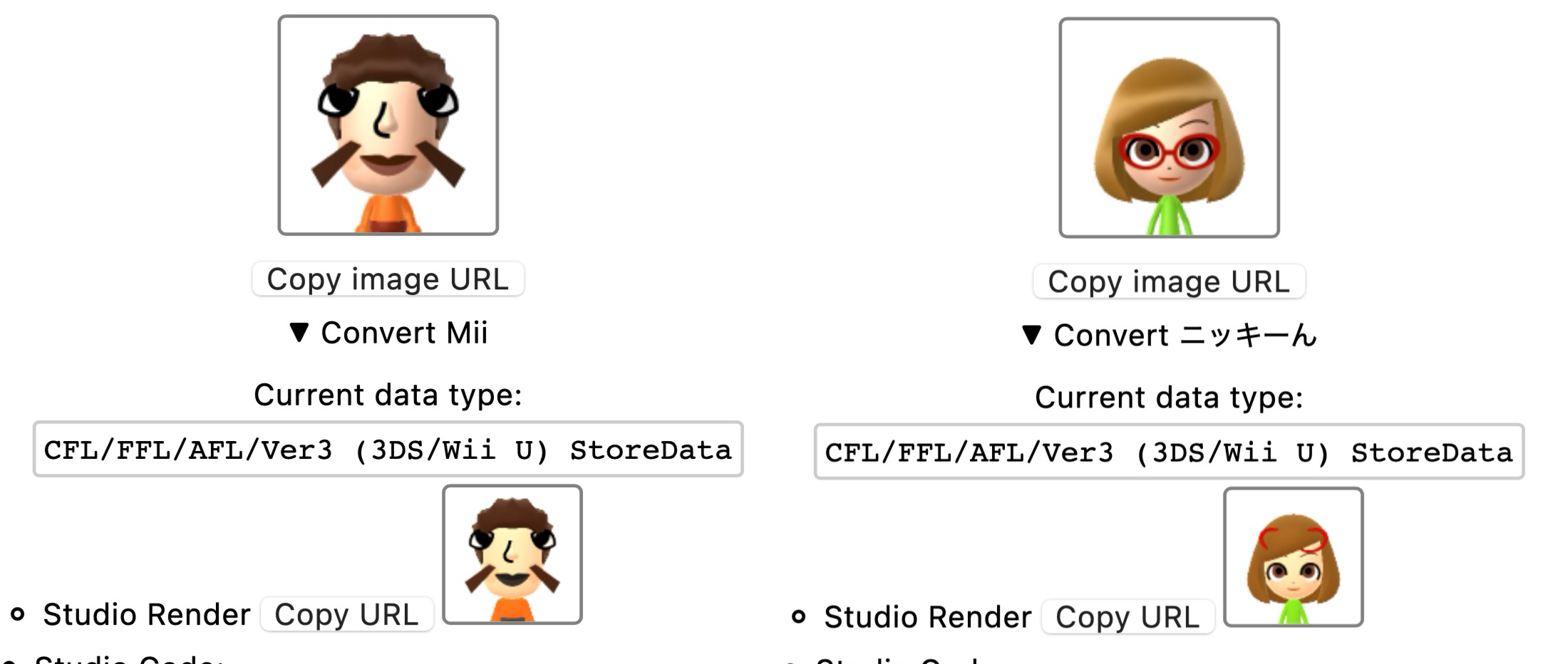
Examples of issues faced when using “mii2studio” and its Kaitai Structs. Many others share the same bugs as a result of mindlessly copying from them. My fix for glassY and other PRs never got merged.
As you could’ve guessed by now, getting this perfect is where I’ve been stuck for more than a whole year. I feel like the tools should be shaped around what the library can do, and I simply haven’t committed to making one without making the other.
It didn’t help that things came up in 2025 which took me away from thinking about this new library. Yet at the same time, I kept avoiding many new project ideas because I wanted everything to use this library that didn’t exist.
A Universal Solution?
Sooo… what language will the new library use? I used to picture it in JavaScript, because that will work on websites/desktops/servers. My awesome tool would be easily usable from the Web, of course. Right.
I did play with some things to make this happen in JS (my struct-fu port that lead to FFL.js, hence “distractions”), but, I was never very fond of being tied to one language. I remember writing snippets of Mii conversion code in C++ for the renderer, JS for the website, Go for the web server, then others used Python, C#, Rust… would I have to rewrite this thing 6 times?
In March 2025, I found that there actually COULD be a solution to this problem. I stumbled upon the Fusion Programming Language, an obscure yet active project that began in 2011.
The goal of Fusion isn’t to be the best language, but rather to write common library code (not applications) usable in multiple languages. It supports C#, Python, Java, Swift, C++, JavaScript, and notably TypeScript and pure C (unsupported by Haxe).
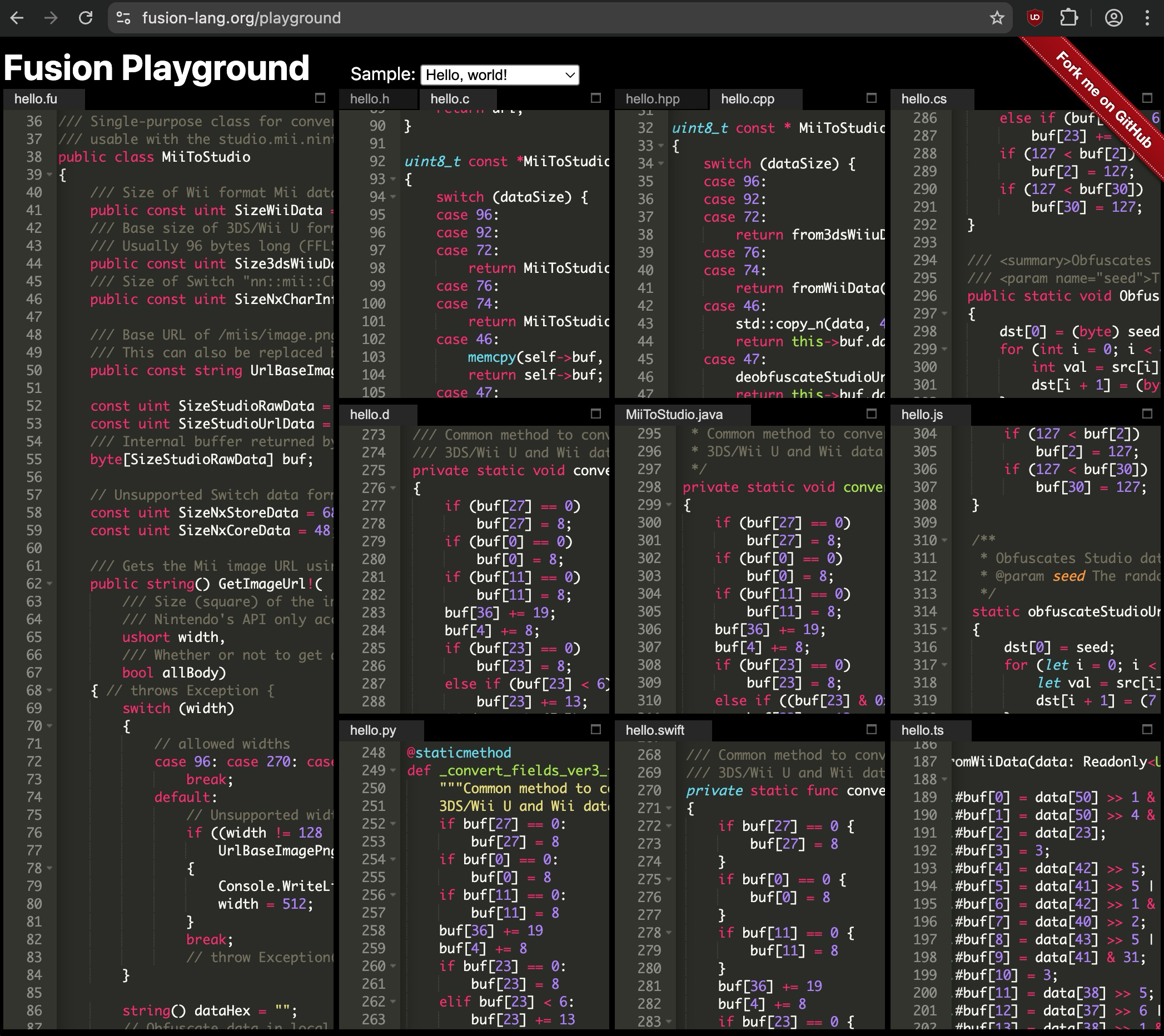
_MiiToStudio.fu transpiled using the Fusion Playground. By the way, this tool exists because Fusion is written in Fusion._
Amazing, right? If it sounds too good to be true, well… it kind of is. By necessity, it’s limited to simple code. I began playing with this in April 2025 but moved kinda slowly.
I will definitely leave more of the details and my experiences with it for another time, because there’s been a lot to this journey. The most important part is that I HAVE been using it extensively over the last year to prove if it can work.
Will Fusion Work?
Yes. I have been reimplementing functionality related to Mii data as well as some rendering in Fusion.
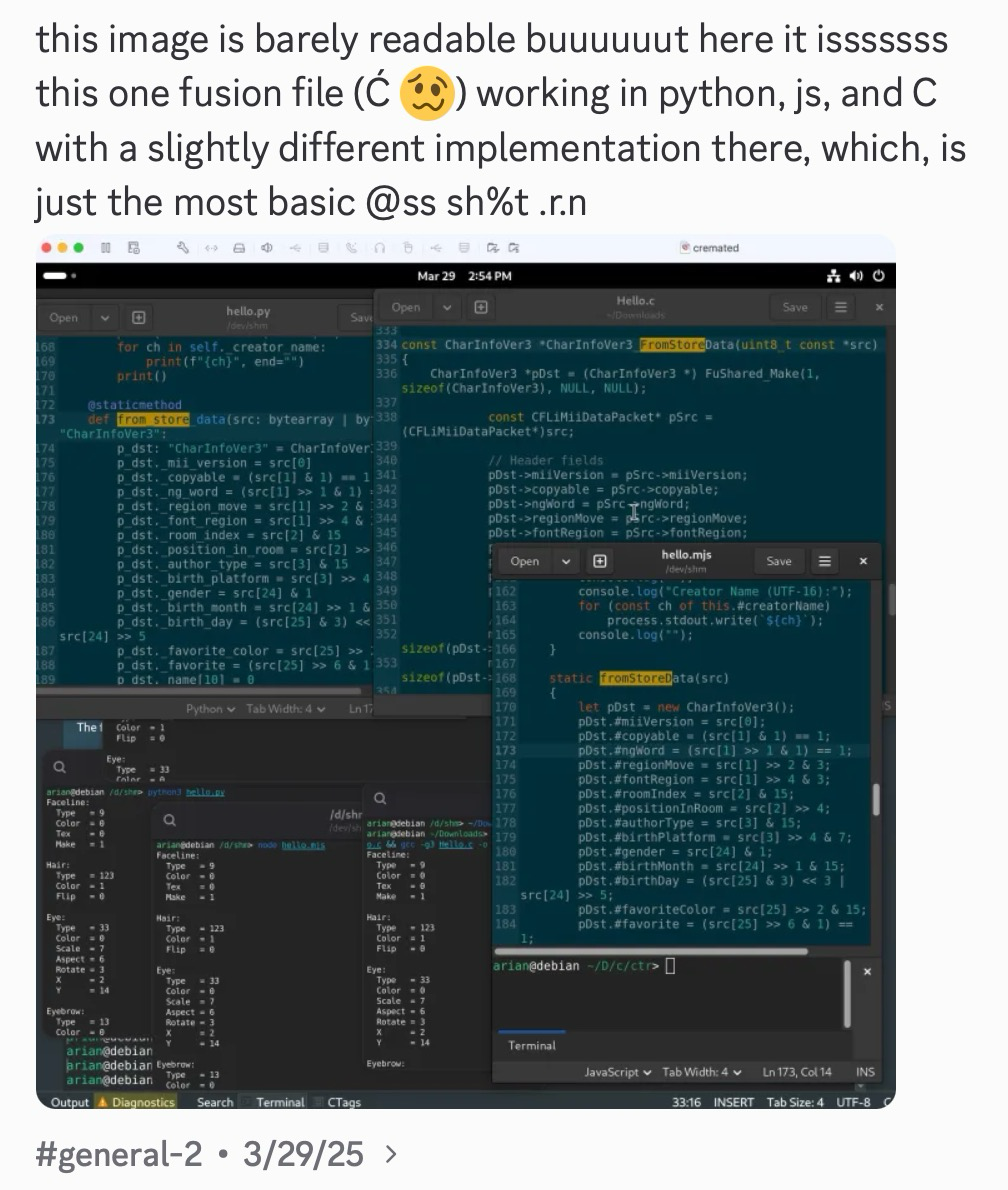
One of my first examples functioning in C, Python, and JS.
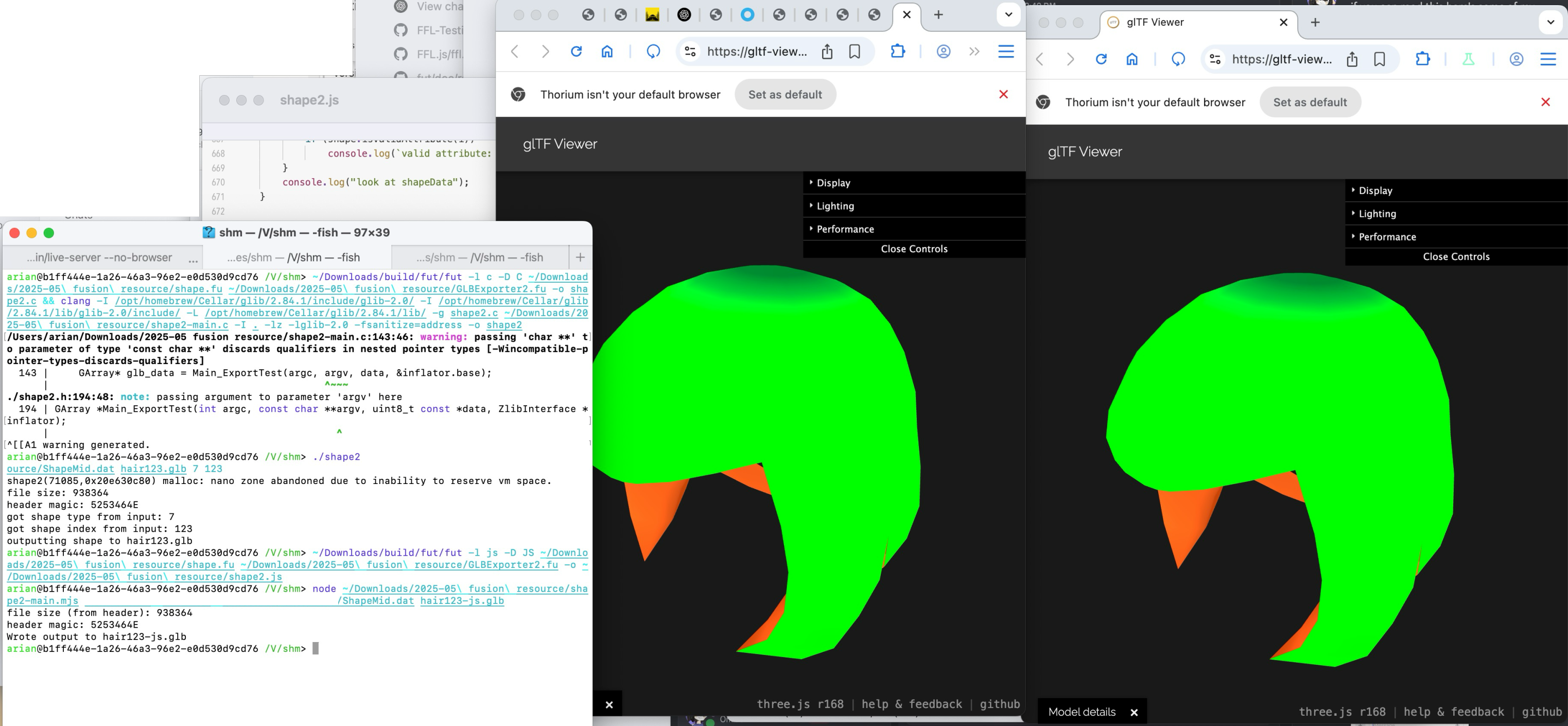
One of my coolest examples (NxResource): Extracts shape assets and encodes them in glTF, completely in Fusion, working in C and JS both.
So far, here is a quick overview of some of the functions I have implemented completely in Fusion:
- Mii decoding: 3DS/Wii U, Wii, Switch, Studio (+ CRC-16 validation, UTF-16 names)
- Mii encoding: 3DS/Wii U, Studio (+ obfuscation)
- Mii QR code encryption/decryption with an AES impl. in Fusion
- Random Mii (look-alike) generator
- Rendering (details TBD): Shape decoding, glTF encoder, 1:1 face/“mask” drawing, colors
I have also made accuracy/correctness a big priority. Almost everything I mentioned above is either using decompiled code from scratch by me, or has actual tests against the real thing. It’s all “provable”.
The most important examples are in my mii-fusion-experiments repo, though at this point most of my WIP code isn’t public thanks to certain individuals. You know who you are. Recently I used my MiiToStudio.fu class to remake pf2m.com/tools/mii with a modular-ish “Mii importer” component, where all parsing (including QR decryption) is done client-side in pure Fusion. Check the sourcemaps to see.
Overall, I am doing much more work for this library in 2026 and getting closer than ever before. I hope not to disappoint myself and others this year.